Home » AI Prompts » » » The 1980s Retro Studio Portrait
Viral 🔥

The 1980s Retro Studio Portrait

Google Gemini / ChatGPT-4o • 1:1
The 1980s Retro Studio Portrait
Prompt Specifications
Compatible AI Tools: Google Gemini / ChatGPT-4o
Aspect Ratio: 1:1
Pro Tip for Realistic Results:

If your AI tool supports identity preservation (like Midjourney v6 --cref, ChatGPT, or face-swap models), leave the "Preserve identity" clause at the beginning. Otherwise, you can remove it to generate standalone retro models.

Exact AI Prompt Text

1-Click Copy
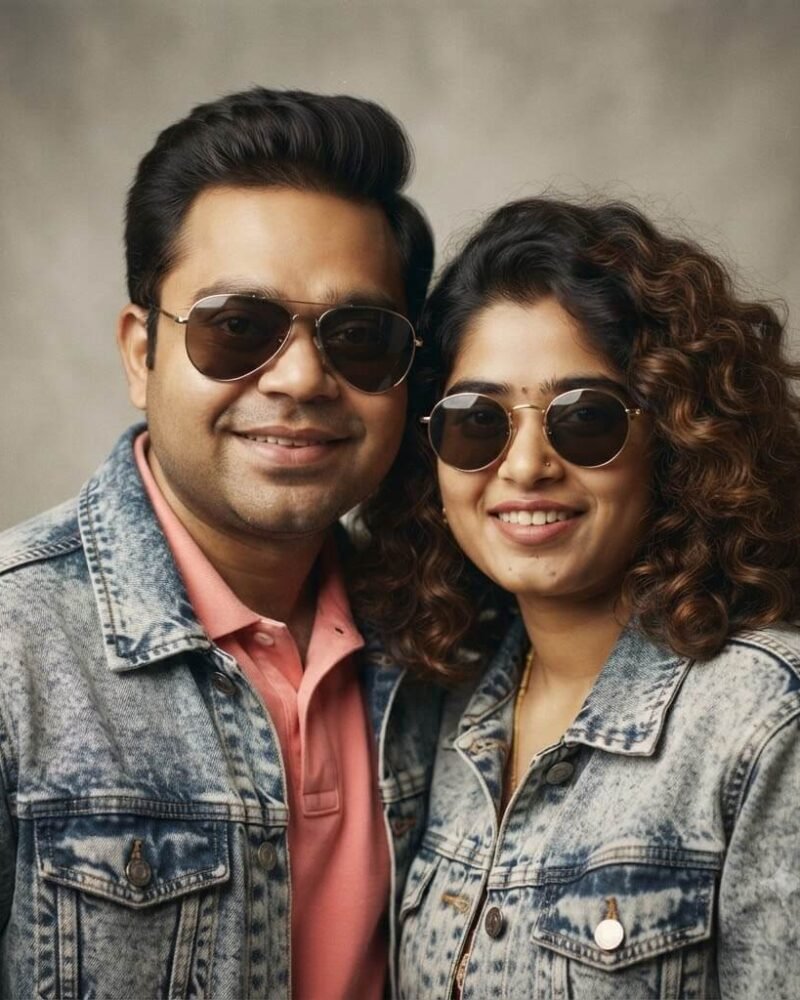
Preserve the exact facial features and skin tones of the uploaded man and woman. Create a realistic 1980s retro couple portrait framed for a social media profile photo. The man and woman are smiling warmly, posing close together. Give them authentic 1980s medium classic hairstyles, matching acid-washed denim jackets, and retro sunglasses. Shot on a 35mm camera against a neutral studio backdrop with subtle analog film grain, warm key lighting, and soft focus. Aspect ratio 1:1.
About This Prompt & Style Guide

Step into the ultimate 1980s Retro Studio Portrait! We’ll take your uploaded photo and transport you both back in time, ensuring your exact faces and skin tones remain completely untouched. Picture yourselves posing close together, rocking classic mid-length hairstyles, matching acid-washed denim jackets, and retro sunglasses. Perfectly framed for your social media profile, this edit captures the pure nostalgia of a classic photoshoot. It looks exactly like a vintage 35mm photograph taken in a professional retro studio, complete with warm lighting, a soft focus, and authentic film grain.
3-Step Simple Guide

How To Use Lensifys

You don't need to be a prompt engineer. Follow three easy steps to create realistic AI photos.

1

Copy Any Prompt

Browse through thousands of viral prompts on Lensifys. Click the "Copy Prompt" button on any card to copy with 1-click.

2

Open Gemini or ChatGPT

Head to Google Gemini (gemini.google.com) or ChatGPT. Upload your front-facing reference photo into the chat.

3

Paste & Generate

Paste the copied prompt, press send, and watch the AI tool generate an ultra-realistic, high-resolution portrait ready for Instagram or DP!

Leave a Reply

Your email address will not be published. Required fields are marked *