Exact AI Prompt Text
1-Click Copy
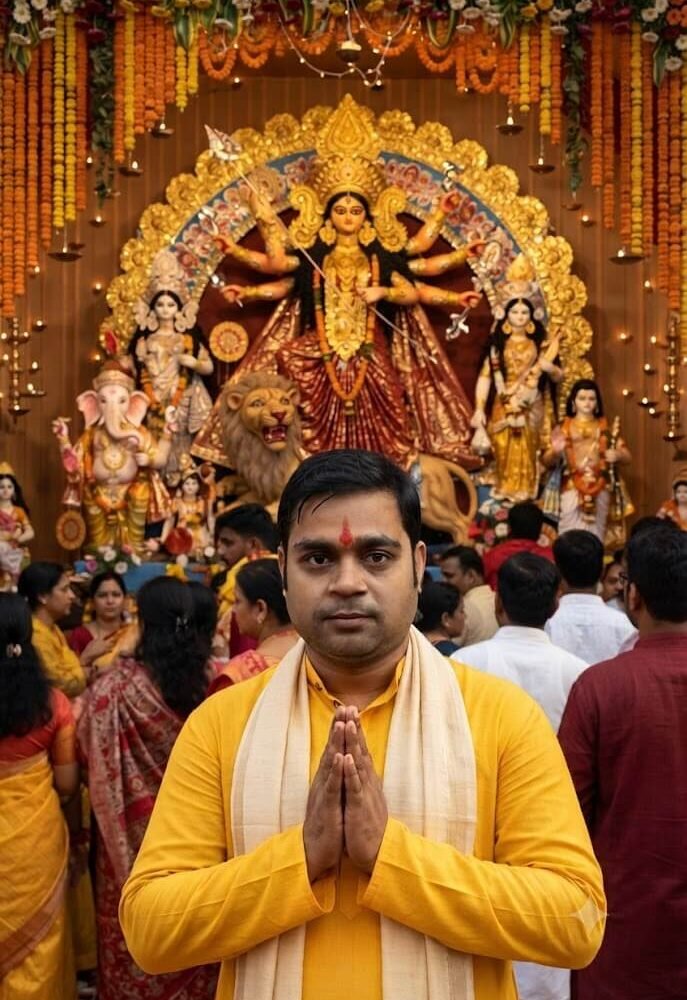
Using my uploaded photo as the ONLY identity reference, create a photorealistic vertical 2:3 Durga Puja portrait. Keep my exact facial identity, face shape, eyes, eyebrows, nose, lips, hairstyle, skin tone and natural appearance unchanged. Keep the same pose and composition: standing in the foreground with a straight body, hands joined in a respectful namaste pose, calm natural expression. The same traditional clothing: bright yellow kurta with a long cream/off-white stole draped around the neck and shoulders, with a red tilak on the forehead. Behind me, create a grand traditional North Indian Durga Puja pandal exactly in the UP/Bihar style, featuring a large Maa Durga idol with multiple arms, golden crown, red saree, traditional ornaments, lion, surrounding Ganesh, Saraswati and other deities. Add dense colorful flower decorations, marigold garlands, diyas, warm decorative lights and a realistic crowd. Natural skin texture, realistic lighting, sharp details, authentic festive atmosphere, no cartoon or artificial look.
About This Prompt & Style Guide
Discover the perfect AI prompt to transform your selfie into a hyper-realistic Durga Puja portrait. This prompt dresses you in a traditional yellow kurta and places you inside a grand UP/Bihar style pandal while keeping your exact facial identity intact. Perfect for your festive profile picture.