Prompt Specifications
Compatible AI Tools:
Google Gemini / ChatGPT-4o
Aspect Ratio:
3:4
Pro Tip for Realistic Results:
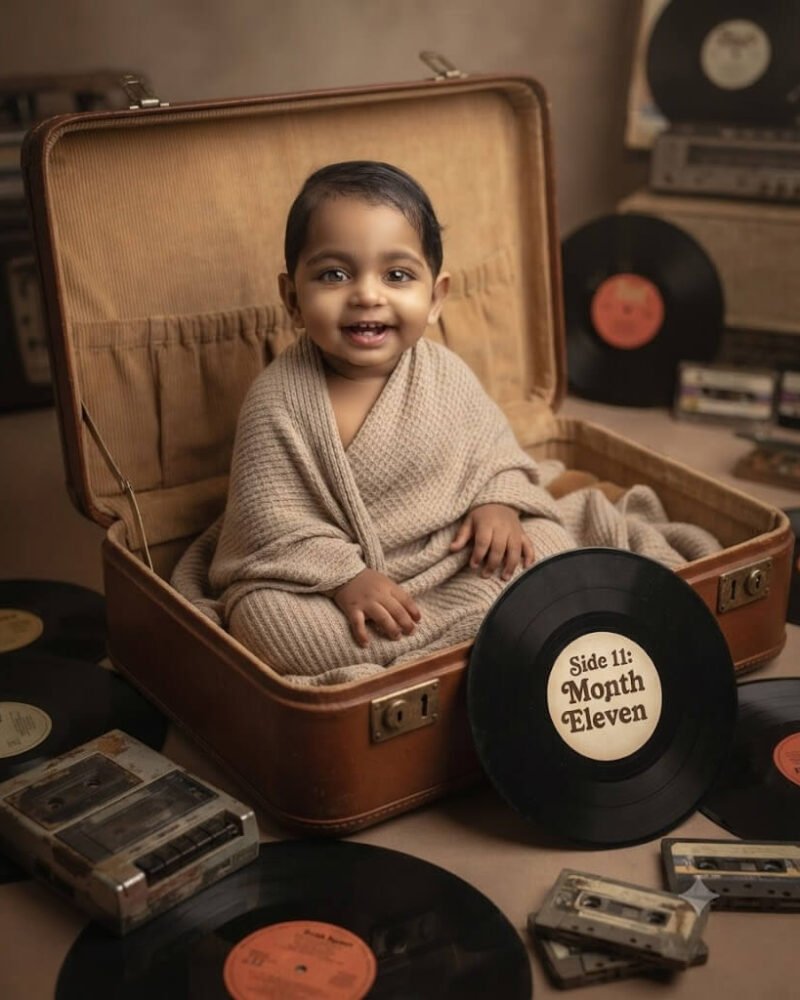
The custom record label text adds a highly creative way to display the milestone number.
Exact AI Prompt Text
1-Click Copy
Ultra-high resolution photorealistic fine-art portrait using the uploaded image strictly for exact facial identity and hair feature preservation. A 11-month-old baby happily awake with clear bright eyes, sitting safely inside the lid of an open vintage brown leather suitcase lined with soft tan corduroy. The baby is draped in a cozy oatmeal-colored ribbed wrap. Scattered around the suitcase are vintage vinyl records and a retro cassette player. Right next to the baby, the record label on the central vinyl record is custom-printed to read 'Side 11: Month Eleven' in a bold, retro font. Soft studio lighting, rich analog colors, sharp focus, natural skin textures. 4:5 portrait aspect ratio.
3-Step Simple Guide
How To Use Lensifys
You don't need to be a prompt engineer. Follow three easy steps to create realistic AI photos.
1
Copy Any Prompt
Browse through thousands of viral prompts on Lensifys. Click the "Copy Prompt" button on any card to copy with 1-click.
2
Open Gemini or ChatGPT
Head to Google Gemini (gemini.google.com) or ChatGPT. Upload your front-facing reference photo into the chat.
3
Paste & Generate
Paste the copied prompt, press send, and watch the AI tool generate an ultra-realistic, high-resolution portrait ready for Instagram or DP!