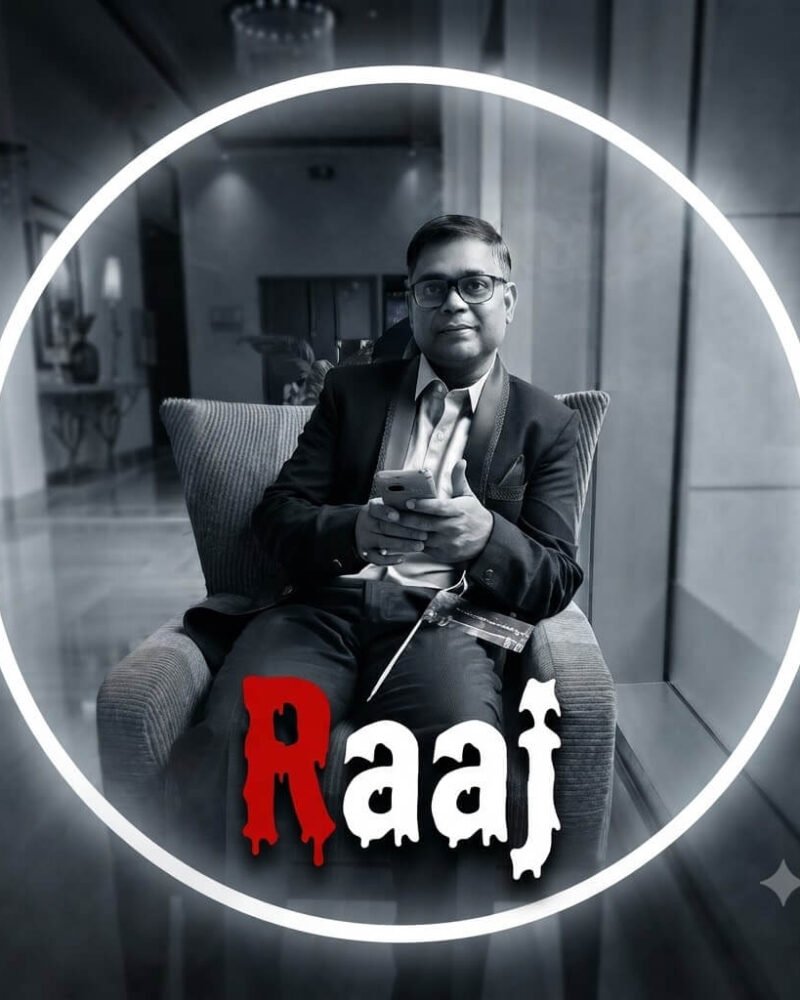
Transform the uploaded photo into an ultra-realistic black-and-white cinematic portrait. Keep the exact face, hairstyle, expression, skin texture, outfit, and identity unchanged. Apply soft-focus blur, dramatic cinematic lighting, deep contrast, and smooth grayscale tones. Add a bright glowing white circular halo frame around the subject. Place the name “Raaj” inside the bottom area of the circle, centered beneath the face. Use a bold horror-style dripping font, with the first letter “R” in bright blood-red and the remaining letters “aaj” in pure white. Add dark smoky vignette edges, subtle mist, soft glow, shallow depth of field, DSLR-quality photography, premium poster design, mysterious atmosphere, high detail, ultra-sharp facial features, realistic shadows, cinematic color grading in monochrome, centered composition, 1:1 aspect ratio, 8K resolution, masterpiece quality.
About This Prompt & Style Guide
Want to turn a regular selfie into a moody, cinematic shot?
We take your photo—keeping your exact face, outfit, and expression—and give it a dramatic black-and-white makeover with deep contrast and a mysterious soft focus. You’ll be framed by a glowing white halo, stepping out of a dark, misty background. To finish off the spooky vibe, we add your name at the bottom in a classic, dripping horror font with a pop of red on the first letter. It’s an ultra-high-quality mix of elegant portrait photography and a subtle, chilling edge.