Viral 🔥

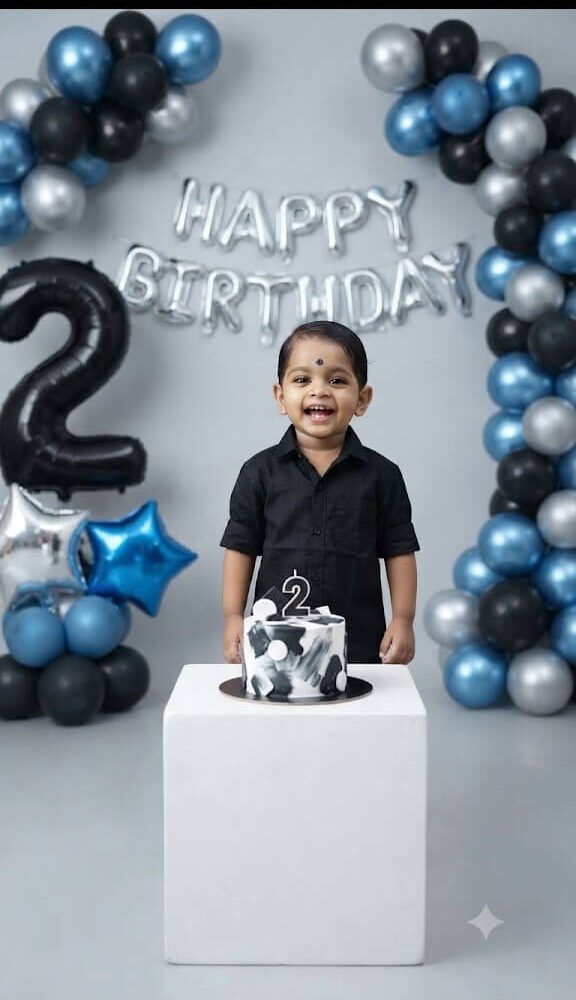
Photorealistic 2nd Birthday Photoshoot for Baby Boy (Blue & Silver Theme)

Google Gemini / ChatGPT-4o 3:4
Photorealistic 2nd Birthday Photoshoot for Baby Boy (Blue & Silver Theme)
Prompt Specifications
Compatible AI Tools: Google Gemini / ChatGPT-4o
Aspect Ratio: 3:4
Pro Tip for Realistic Results:

Use a clear, high-resolution, front-facing photo of the child. Ensure the face is evenly lit without harsh shadows, as the prompt specifies "professional studio lighting." To adapt this for a different age, simply change the number "2" to your desired age in both the text and the balloon description.

Exact AI Prompt Text

1-Click Copy
Maintain exact identity from uploaded photo. Do not beautify, regenerate, enhance, or modify the face in any way. Keep all facial details perfectly intact.I am uploading a photo. Use the uploaded image as the face reference and keep the face 100% exactly the same. Do not change facial features, skin tone, hairstyle, face shape, or expression. Strictly preserve the original identity without any modification. Create a realistic 2nd birthday photoshoot of a baby boy standing behind a small white cube table with a small black and white birthday cake placed on top. Background should have silver foil balloon letters saying “HAPPY BIRTHDAY”. Add blue, black, and silver balloon decorations arranged on both sides. Include a large black number “2” foil balloon on the left side and star-shaped foil balloons in silver and blue. The baby boy should wear a stylish black shirt and look naturally happy. Use professional studio lighting, DSLR quality, ultra realistic skin texture, sharp focus, shallow depth of field, natural color grading. No cartoon, no illustration, no painting. Only photorealistic birthday photography.
3-Step Simple Guide

How To Use Lensifys

You don't need to be a prompt engineer. Follow three easy steps to create realistic AI photos.

1

Copy Any Prompt

Browse through thousands of viral prompts on Lensifys. Click the "Copy Prompt" button on any card to copy with 1-click.

2

Open Gemini or ChatGPT

Head to Google Gemini (gemini.google.com) or ChatGPT. Upload your front-facing reference photo into the chat.

3

Paste & Generate

Paste the copied prompt, press send, and watch the AI tool generate an ultra-realistic, high-resolution portrait ready for Instagram or DP!

Leave a Reply

Your email address will not be published. Required fields are marked *